Showing posts with label Computers. Show all posts

New smartphone from Amazon?

In this post at poly technology we want to share a video from the Amazon's channel on YouTube.
It seems that it is the mos awkward 'teaser' video for Amazon's new 3D phone but we will not know for what we are talking about until 18 June.

On June 18, in Seattle the Amazon company will unveil their latest project and for what are this clients of Amazon talking about, in this teaser video shared on their YouTube channel on 4 June.


In this video the customers ore amazed with the invention of Amazon but what will be this?i think that it is a new 3D smartphone of Amazon, and you what do you think it is?

I want to notice you that you can submit a request at Amazon for an invitation for 18 June when they will present the project.

In this post at poly technology we talked about a new project that Amazon will announce to us in 18 June, about a new smartphone.


Hope this was very informative, if so please bookmark us and pass in our blog as soon as you can to learn more about the latest news about smartphones: Samsung Galaxy, iPhone 5, iPhone 6 or other smartphones.

Samsung Galaxy S5 Features and Specs


Source of the video as you can see is from AT&T.

At this post at poly technology we are going to talk about Samsung Galaxy S5 features and specs.

In the Internet is too much talked about smartphone Samsung Galaxy S5 Active during these past weeks. The company finally decided to put on sale this phone, which can be bought online at AT & T stores no annual contract.

This phone is water and dust resistant. Terms of hardware features, this phone has four core processor with 2.5GHz circuit, display 5.1 inch Full HD Super AMOLED display and 16-megapixel rear camera.

S5 Samsung Galaxy smartphone will use Active Android 4.4 operating system and offers support for KitKat LTE network. Galaxy S5 Active in America costs only 200 dollars if done a 2 year contract or 715 dollars without a contract.

Now your smartphone can be just as active as you are. Rugged and powered with innovation, the Samsung
Galaxy S® 5 Active™ delivers integrated technology that improves your life and makes every day better. 


Samsung Galaxy S5 Features and Specs
  • Designed rugged: dustproof, water-resistant up to 3 feet (1 meter) for thirty minutes, and shock-resistant when dropped from 4 feet onto a flat surface.2

  • View your activity-related features with Activity Zone.

  • Stay entertained on the 5.1" Full HD Super AMOLED® display.

  • Shoot high quality photos with the 16MP camera.

I hope you liked our article and if this is true, please bookmark our blog and please follow us on google+ for further information about technology, for further information about Samsung Galaxy, iPhone 5, iPhone 6. Bookmark us to help you to find more info about operating systems, different cell phones, about lap tops or computers etc. So, i hope you enjoyed : Samsung Galaxy S5 Features and Specs

How to fix High CPU Usage

In this post at poly technology we are going to talk about the ways how to fix the problem with high CPU. I had this problem and now solved this. But first of all we are going to clarify what does it means that my CPU usage is to high?

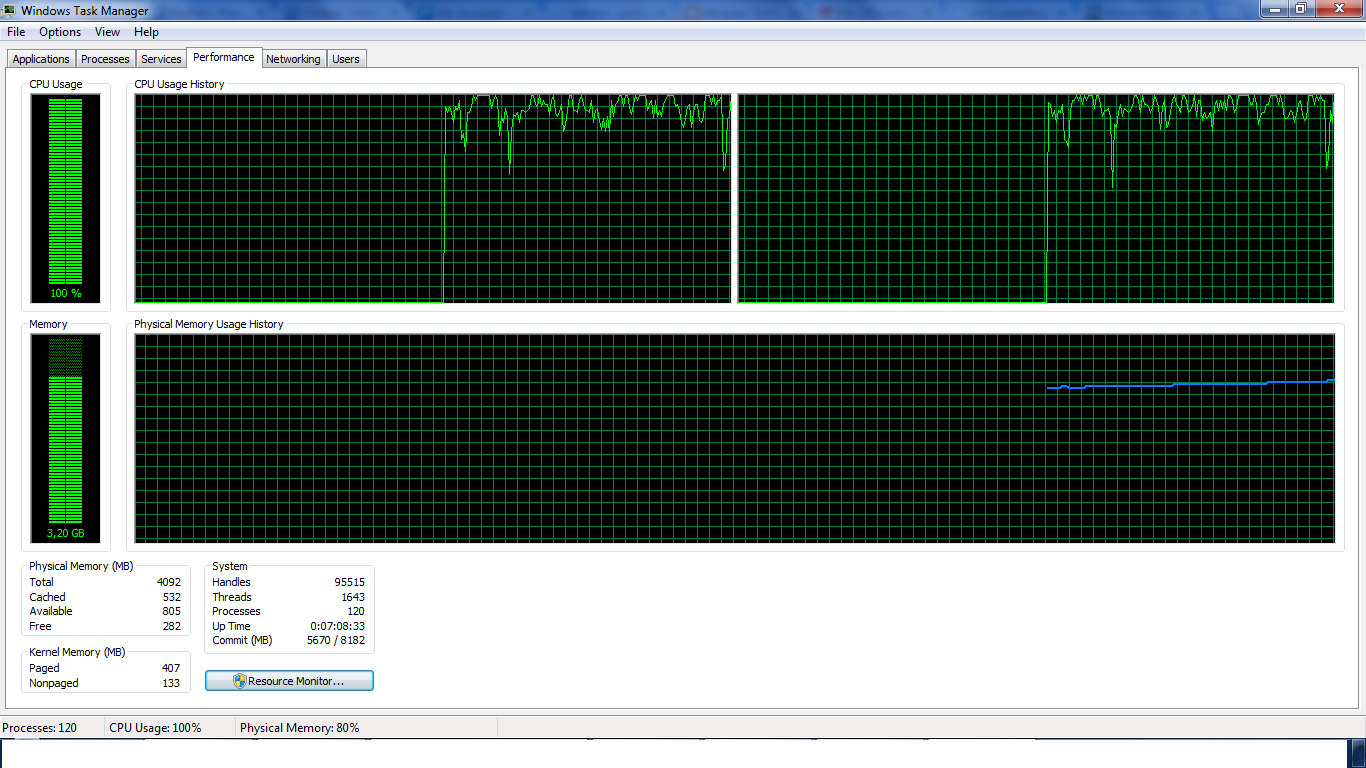
We can see CPU Usage in Task Manager(ctrl+del+del). And when i saw that my CPU usage was 100%. 
A High CPU Usage means  that the computer's central processing unit(CPU) is running at max level or is above normal level for the number of applications that are running in the moment that we have a high CPU usage. 
How to fix High CPU Usage
How to see that the CPU usage is too high
Before we go to task manager we can see that our CPU is running at max level because we are going to handle a slow performance, random shutdowns and the usual detail is that we are going to have to much hang-ups, we will find difficult to work because even the YouTube is not going to work if you open other web sites

 Now what does it means that the CPU usage is High is that a given CPU has a maximum number of cycles which can be produced per second. So, the CPU have a limit about the number of processes that can handle, or have a limit about the number of instructions that can execute during one cycle.   

 So, is your computer running to  slow? Open the Task Manager (Ctrl+Alt+Del) and check the CPU usage. If your CPU usage stays at 100% all the time, there is a serious problem. Typically, your processor usage shouldn't go over 60% only if you are  using large applications such as video games, or media editing programs.
Which Are The  Common Causes of High CPU Usage?

The true factors that contribute to a high CPU usage and hang-ups and slow performance are different in different personal computers ore lap tops. In some times the problem may come from software error or hardware failure and the worst case is when high CPU comes from both of them. When this problem comes from both hardware or software it is very difficult to identify from what is coming this problem. 

While constant, high CPU usage is not normal it will be a good idea  to know first which are the common causes of high cpu usage and so you can identify the true reason why is this happening.  
If your computer performs slowly and displays a high CPU usage percentage in the task manager,
then you are facing with a true problem that is causing the processor to run in this extreme speed. We have to use troubleshooting tools to accurately identify the problem, but now we are going to show some common reasons why is this happening to your processor. 

High CPU Usage May Be Caused By: In this paragraph we are going to mention some reasons that may cause slow CPU, or 100 % usage, and we will explain how to fix this problems

  • Overheating/Poor ventilation, you need to check your coolers if they are doing this to your processor.
  • Another reason may come from Out-of-date drivers, so you need to do automatically update to your drivers.
  • Running too many applications simultaneously, we usually do  this but you should know which are the capacities of your CPU before running to much applications in the same time.
  • Insufficient virtual memory, sometimes this is a true problem but it depends on your architecture and capacity. 
  • Virus/Malware infections this is the last in order but sometimes the most important. And you should remember not to use in real time two or more antiviruses, you should use once. For example you  should not use in the same MCafee antivirus and Microsoft Essential or Avast, because this will cause high CPU usage. So keep this is in your mind: just one antivirus in the same time
Definitively there are other problems that may cause  high CPU usage, but these are some of the most common. You should know that  these guides are meant for users with some administrative skill and not following them properly can lead to serious issues, but this guide can be followed even from the persons that just know some usual things about personal computers. Anyway fill free to ask everything in the comments

Is there any easily way to FIX High CPU Usage

There are a lot of ways that can be done manually to fix high CPU usage, like showing like in the picture below the processes that are causing this problem and stopping this processes or the programs that have this processes but this way may be a little bit tough to do manually, but there are a lot of automated programs like SlimCleaner Plus. 
How to fix High CPU Usage
Processes that are causing the high CPU usage.

This automated program may help you to fix this problem. This program is recommend from Microsoft.
SlimCleaner Plus is a system optimizer that can seek out issues with your computer's configuration.

So, i hope that this article was very informative to all of you and if you liked this article please bookmark ply technology to learn more about the problems on your PC and to hear more about latest news about technology, about cell phones about technology used in cars about operating systems, etc.


cloud computing

In this post at poly-technology at blogger we are going to tell you what cloud computing is and why the businesses should join cloud computing for their services and not to build data centers at their company to host their data because this way it is more expensive then hosting their data in cloud computing.

http://poly-technology.blogspot.com/2014/01/choosing-right-cell-phone-for-you.html

Businesses can not be distracted from their objective , by their purpose . But , of course, in this case appeared skeptics suspecting that a company can provide business data and these data can not lose . Cloud Engineers Petrovic: answered skeptics by developing these powerful techniques for data security , such as encryption .Since the technologies including the Internet , web browsers -at ,virtual servers , and software parallelism open source are combined have brought a set of options to get more products from computers .The term cloud computing is a concise description of these combined technologies .

" Cloud " in the term cloud computing is a metaphor for computational resources ( computing resources , hardware and software ) to access the companies and users without the need to know exactly , where they are physically located hardware and software .


In the second part of the diploma addressed two very important elements for cloud computing as live migration and data backup . Before we did the live migration should definitely clarify the virtualization . Virtualization is a key technology that enables operation of cloud computing because it allows the resources accessed by different applications depending on the requirements and hides the complexity of resource allocation from the cloud 's users .

If a virtual machine is an application executes its CPU stops or charged more , then the application can be migrated from one virtual machine to another . Migration of live virtual machine includes the transfer of memory pages that were working with , the transfer of resources that are participating in this application ( network card , disk , etc. . ) And CPU status . Each virtual machine has its CPU , its physical memory ( which is shared between virtual machines ) , I / O , etc. 

Data backup is very important in the cloud , as the company requires that their data are not lost for any reason . For this reason, depending on the contract i'u providers make data backup client . These data should not only be stored in a data center but must have a data synchronization with another center . 

This technique should be performed as in the case of any natural destroying the first center of this information will have the opportunity to do the backup . Backup of data should be in place between the same center servers to data storage . So if a server falls within this center should unquestionably be restored data .

Bookmark http://poly-technology.blogspot.com/ and you will find other news about cloud computing because it is very important for businesses to join cloud computing providers, but it is a very important field for people who cares about technology, Operating Systems, about servers, data centers, virtualization and internet.

The story of the first PC.

In this post at poly-technology we are going to tell the history of the first computer. Who have the first idea, and who developed this idea? And a lot of question like this are going to take answer in this article

I think that this things happened almost 50 years ago, when a small team at the Italian company Olivetti managed to do what no one had done before them; As we know they created a computer small enough to fit on a desk, and could be used not just from the technician people but also from the usual people, because now this computers were small enough. All we know how big was the first HDD and what was the capacity of this hard disk and in this years looking the computer like in the photo here was a great thing. It was the Programma 101, what many consider to be the world’s first personal computer.
We first have to know what computers looked like at the time, If we want to understand how revolutionary the Programma 101 was when it was unveiled back in 1965. Do not forget, this was almost 50 years ago. It was the era of huge mainframes, big as fridges, sometimes filling up entire rooms and it was not good enough to do something good. Only a small elite had access to them.
In the early 1960s, computers were not something you could have all to yourself as we mention before, and most people didn’t even have access to them only technician people good have that lucky.
In this years, Olivetti was trying to compete with the American companies, making large mainframe computers. Being from Europe, they were a bit of an outsider, but they had some limited success.
But, Roberto Olivetti, then-CEO of the company, wanted to try something truly revolutionary. He wanted Olivetti to make a small computer that was more affordable and could be used by regular people, something that you could place on a regular desk. He wanted to create a personal desktop computer.While we are listening this somebody may think the great man Steve Jobs, because he thought in the same way and he became unforgettable in our minds. 
Olivetti gave the project to Pier Giorgio Perotto, an engineer at Olivetti, who would work with a small team of just four people to try and get around all the technical hurdles and create this revolutionary device.
Of course that the idea was insanely ambitious. Perotto’s team didn’t even know if it would be possible and for more they did not know if they could do this things.The technology used in computers back then was way too bulky, so the team had to invent something new for almost every element of the new device, which was meant to be the size of a typewriter. The human-centric approach to designing a computer was also something completely new, and brought its own set of challenges as well.
The project started in 1962.
How things have gone all we know but in more details bookmark poly-technology.blogspot.com to learn more.

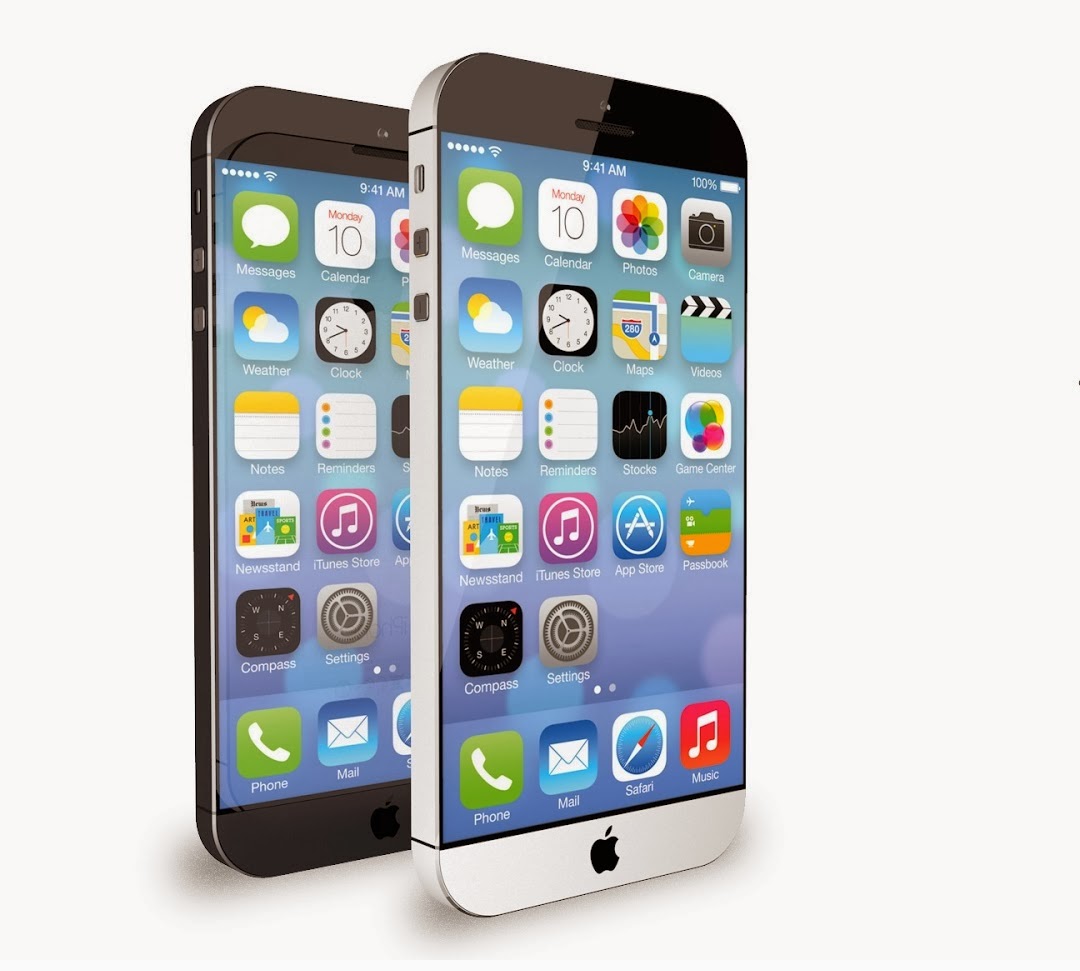
When iPhone 6 will be launched?

iPhone 6 launch in May 2014

When iPhone will be launched


All of us we are waiting what is going to happen with the next iPhone? Is there anything new or the same things are there?

Of course that the advances will be there and the spirit of Steve Jobs is still there, in all this products the spirit, the reason why apple have been created by Steve is obliviously  there.

I press sources news of their intention to launch their new Apple smart and waited (iPhone 6) in May , in the spring of this year, 2014 , which does not match what Apple has done with the Released every fall and exactly in the month of October each year recent innovations in smartphones and tablets, the news came a day after the proclamation of the message Tim Cook to employees.

Transfer News website ( Digitimes ) from private sources in Apple's supply chain, and confirms that the company is preparing to launch two , the first smart phone should iPhone 6 and the second is an iPad Pro tablet, which is will screen measures 13 inches.

But in the matter by the sudden transfer site Digitimes is to launch a new smartphone iPhone 6 will be exceptionally in May instead of October, which is used in smartphones company offers the same , while the iPad Phone Pro tablet will be released in October of the same year.

As part of this " the news is confirmed , " the iPhone 6 come many advantages, including the measurement of the screen , which could be up to 5 inches, and 20 nm processor will of the Taiwanese company TSMC .

All we can see the fines the class that this products have and not because they know what the people want but they offer what the people should want, like Steve thoughts.

Stay with poly-technology to learn more for iPhone's, for Computers advances and for the Operating Systems advances.

Toshiba introduces a new Ultrabook for 2014.

This year is looking that have started hard for Toshiba.

Toshiba enters the world of Chromebooks and presents its first model running on Google's OS. At the same time, the firm unveils new Ultrabook, the KIRA, it qualifies as an Ultrabook luxury.

Screenshot_1

Featuring a 13.3-inch screen with a resolution of 1366 x 768 pixels, the Chromebook Toshiba is equipped with an Intel Celeron ILT processor,
16GB of storage iSSD, 2GB RAM, 100GB free cloud storage, a battery life of 9 hours battery, an HDMI connector, two USB 3.0 ports, an SD card reader, WiFi a / g / n, Bluetooth 4.0 and an HD webcam. The course runs all Chrome OS, weighs 1.5 kg and adopt dimensions 227 x 328.6 x 13.75 mm. Output in the first half of 2014.

Screenshot_2

KIRA it is equipped with a 13.3-inch touchscreen with a resolution of 2560 x 1440 pixels adopting Corning Concore technology. Inside, we find an Intel Core i7 processor, Intel HD 4000 CPU, 8GB of RAM, a 256GB mSATA SS, a battery with a battery life of 9 hours, three USB 3.0 ports, an HDMI port, a SD card reader and Bluetooth 4.0. All running Windows 8.1, weighs 1.35 kg and adopt dimensions of 316 mm x 207 mm x 9.5 mm.

Output in the first half of 2014.

Top laptops are?

Today is very difficult to choose the right laptop for your self, but we must have in our minds  when we are shopping a lap top for what we are going to use this lap top. We want this laptop just to work with office, we want this laptop to play the most advanced games in the world or we want this laptop to execute  software that i will create for my self.
So, there are a lot of reason why you should why you are going to use this lap top because this will be reason why you are going the laptop.

Shopping for a laptop is a pretty daunting task. The sheer number of laptop systems available online or in a store's electronics section is enough to make your mind spin. Most people have a general idea of what their laptop should look like and what they want in terms of features, but are often intimidated by the choices available. That's where we come in, with the 10 best laptops on the market today.
The first thing you need to consider is what you need in the laptop. Are you looking for something to compete on the gaming grid? Then a discrete graphics card and big screen are necessary components in the laptop you choose. Are you on a limited budget? Then be on the lookout for anything under $500 that offers at least a Core i3 CPU and 4GB of memory. If a business system is what you need, then security measures like a fingerprint reader and a TPM module are must-haves.

For those who spend a lot of time on the road, then an ultrabook or an ultraportable will keep back and shoulder strain to a minimum. For those who need a system meant for watching movies, a Blu-ray player is a must-have feature. And last but not least, ask yourself if a touch screen is important to you. With the advent of Windows 8 and 8.1, touch-screen functionality has become a significant factor to consider when buying a laptop.
The editors of PCMag.com test hundreds of systems each year to help you find the best laptop. There are a lot of laptops out there, from the large-screen desktop replacements to the lightweight ultraportables, and even laptop/tablet convertibles, but all share common features. In this story, we help you narrow your choices by collecting the top 10 laptops on the market today.

Apple MacBook Pro 15-inch (2013)


Acer Aspire S7-391-6411
Acer Aspire S7-392-6411


Apple MacBook Pro 13-inch (2013)


Asus Transformer Book T100TA (64GB)
Stay with poly-technology to learn more about the best lap tops.

Labels